Rack Rental
Pod Limit: Max 2 active bookings per pod. Placement courses: up to 200 sessions total.
No-Shows: 5 missed sessions in 30 days = 3-month suspension. Cancel in advance if you can't attend.
Certificate: Complete 70%+ of your sessions to earn a course completion certificate.
Rewards: Responsible usage earns +2 bonus sessions per 20 completed.
Lab Guides: nhprep.com
ping your-lab-ip — verify your VPN has reachability. This is ICMP test only (always allowed).Your session-time ACL will allow full access to your pod during your booked timings.
Connection Hub
Loading...
Request a Booking
My Booking Requests
My Sessions
My Stats
Loading stats...
Session Evidence Log
Complete record of sessions with connection proof and traffic data.
| Date | Pod | Time (IST) | Duration | Status | Connected? | Traffic | Verdict |
|---|---|---|---|---|---|---|---|
| Loading... | |||||||
Quick Book — One Click Lab Access
2 hours per session. Must have no overlapping session.
Quick Help
AI Chat Assistant
Click the blue AI button (bottom-right corner) to open the chat. It streams responses in real-time.
- Active/upcoming session and pod
- WireGuard VPN connection status
- Course, quota, session history
- Trial status, fee verification, expiry date
WireGuard, PNetLab, sessions, booking, courses, trial accounts, fee receipts, no-show policy, lab configs, troubleshooting
Rate limit:10 messages per 5 minutes
Limitations
- AI books sessions for "right now" only — use Book Lab for future times
- Cannot change your course, quota, or other students' data
- Cannot fix issues outside your session window
AI Diagnostic
Use the purple "AI Diagnostic" button in My Lab tab. It checks AND fixes your connection.
- Session active?
- WireGuard peer enabled + live?
- Handshake time + data transferred
- PNetLab credentials + server health
- Re-enable WireGuard peer
- Re-sync firewall rules
- Reset PNetLab password
- Book instant session (2h)
Limit: 3 fixes per session
Self-Service Tools
Resets PNetLab login. New credentials shown instantly.
Cancel scheduled sessions before start time.
All session times display in your timezone.
One-time download. Import once, keep forever.
Rack Rental Platform — How It Works
Built by Networkers Home India. Practice CCNA, CCNP, CCIE, Palo Alto, Fortinet, Cisco ISE, FTD/FMC on real enterprise equipment — from anywhere.
Architecture
↑ ↑
FastAPI Scheduler Cisco IOL / QEMU VMs
Your Journey — 5 Steps
Sign Up
Get Approved
Book Session
Auto-Activate
Practice!
- Sign up with Google — you get 2 free trial sessions (CCNA) instantly
- Admin approves your account — WireGuard VPN keys generated, quota assigned
- Book a session — pick any pod (CCNA, ASA, FTD, Palo Alto, etc.) and time slot
- Scheduler activates within 30 seconds — VPN gate opens, lab topology loaded, your credentials ready
- Connect and practice — WireGuard tunnel → browse to lab → login → start nodes
WireGuard VPN Setup Guide
Your .conf file is PERMANENT. Download once. Import once. Never delete it.
- Download WireGuard — wireguard.com/install (Windows, Mac, Android, iOS)
- Download your .conf file from your Connection Hub (My Lab tab) — click the download button
- Import into WireGuard — Open WireGuard app → "Import Tunnel from File" → select the .conf file
- Activate the tunnel — toggle ON in the WireGuard app
- Test connectivity:
ping your-lab-ipIf you get a reply — your VPN tunnel is working and key exchange is good.
This is an ICMP-only test (always allowed). Full access to your lab opens only during your booked session time. - Access your lab — during session time, open browser →
http://your-lab-ip→ login with credentials from Connection Hub
How Security Works
- WireGuard VPN — encrypted tunnel between your device and our server. Your keys are permanent, never rotated.
- Time-Based Access (ZTNA) — firewall rules allow lab access ONLY during your booked session. Outside session time, the gate is closed even if VPN is connected.
- Folder Isolation — you see only YOUR lab folder. Other students' work is invisible to you.
- Node Limits — device cap per lab depends on the pod (CCNA: 20, most others: 10, heavy topologies: 20). Keeps resources fair across students.
- Auto-Cleanup — when your session ends, all running VMs are saved and shut down. VPN gate closes. Resources freed for the next student.
8 labs across Cisco, Palo Alto, Fortinet & more — slots are rarely full, book anytime.
Available Labs
Routing & Switching • 4 slots
Advanced Routing • 4 slots
BGP, MPLS, VPN • 4 slots
Cisco Firepower • 2 slots
Adaptive Security • 1 slot
Next-Gen Firewall • 1 slot
FortiGate Security • 2 slots
Cisco Identity Services • 1 slot
Cisco vManage/vBond/vSmart • 1 slot
Engineering Challenges We Solved
30-Second Activation — From booking to running lab in under 30 seconds. Our scheduler checks every 30 seconds, enables your VPN peer, sets up firewall rules, creates your lab account, and copies your topology — all automatically.
Per-Student Isolation on Shared Hardware — One powerful server (256 GB RAM, 64 cores) serves 25 concurrent students. Each student sees only their own folder. Starting or stopping your lab never affects another student.
Automatic Resource Cleanup — When your session ends, every running device in your folder is saved and shut down. This prevents orphaned processes from consuming server memory — critical when 200+ students use the platform daily.
AI Lab Assistant — 11 AI-powered tools help you book labs instantly, check your quota, view session history, diagnose connectivity, and reset passwords — all without waiting for admin. Safe by design: the AI cannot modify your VPN or firewall settings.
Multi-Vendor Support — Cisco IOL (lightweight, boots in 15 seconds), plus QEMU virtual machines for Palo Alto, Fortinet, Cisco FTD/FMC, ISE, and ASA. Real vendor software, real CLI, real configurations.
Questions? Use the AI Help tab or contact your trainer. Lab guides at nhprep.com
Loading profile...
📘 Pod-by-pod usage guides
Step-by-step walkthroughs for the specific labs that come with a Windows desktop or server pre-wired. Each guide opens in a new tab so you can keep this dashboard open alongside.
Cisco ISE
Full CCIE Security blueprint — AD DC + AD-CS on Win Server 2016, ISE domain-join, EAP-TLS user cert, 802.1X on the switches, end-to-end client auth.
Palo Alto
Boot PAN-OS, set the mgmt IP via CLI, reach https://<pa-ip> from inside-lab Win 10. Configure trust/untrust zones, a security policy, and NAT. Verify with a ping from R2.
Fortinet FortiGate
Boot FortiOS, set port1 as Mgmt with HTTPS, browse to the FortiGate UI from Win 10. Configure WAN + LAN interfaces, add a LAN→WAN policy with NAT, verify with a ping from R2.
- Go to vpn.networkershome.com
- Enter your email and password (or use Google Sign-In)
- Click Sign In
- New student? Click "Create an account" for 2 free trial CCNA sessions
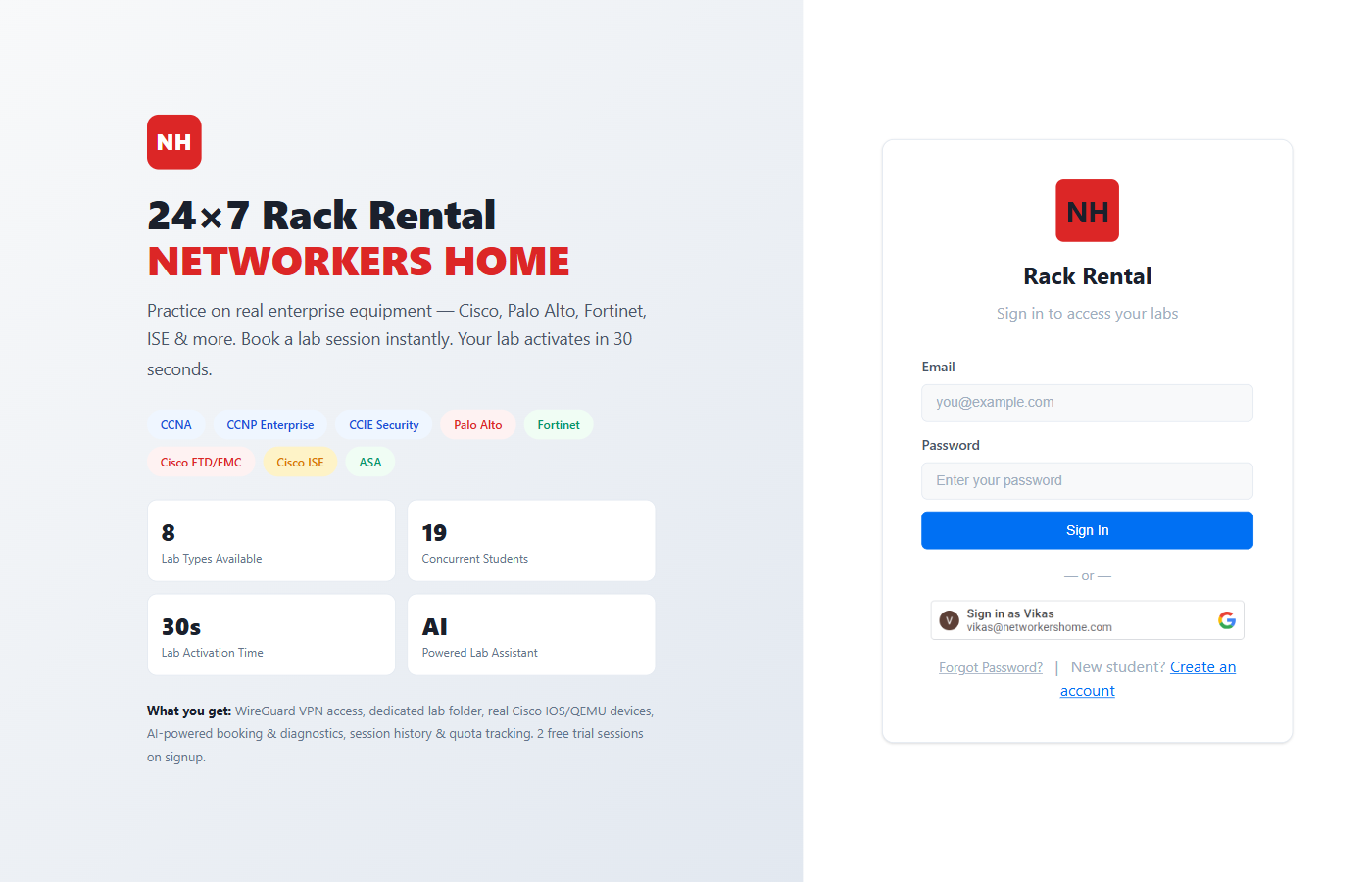
- Profile card — your name, course, and fee status at the top
- Lab Access Policy — session quota rules, no-show policy, certificate requirements
- Session Timer — countdown when a session is active (shows "No active session" otherwise)
- Session Quota — progress bar showing sessions used vs total
- Navigation tabs — My Lab, Book Lab, My History, AI Help, My Profile, About, Lab Guide
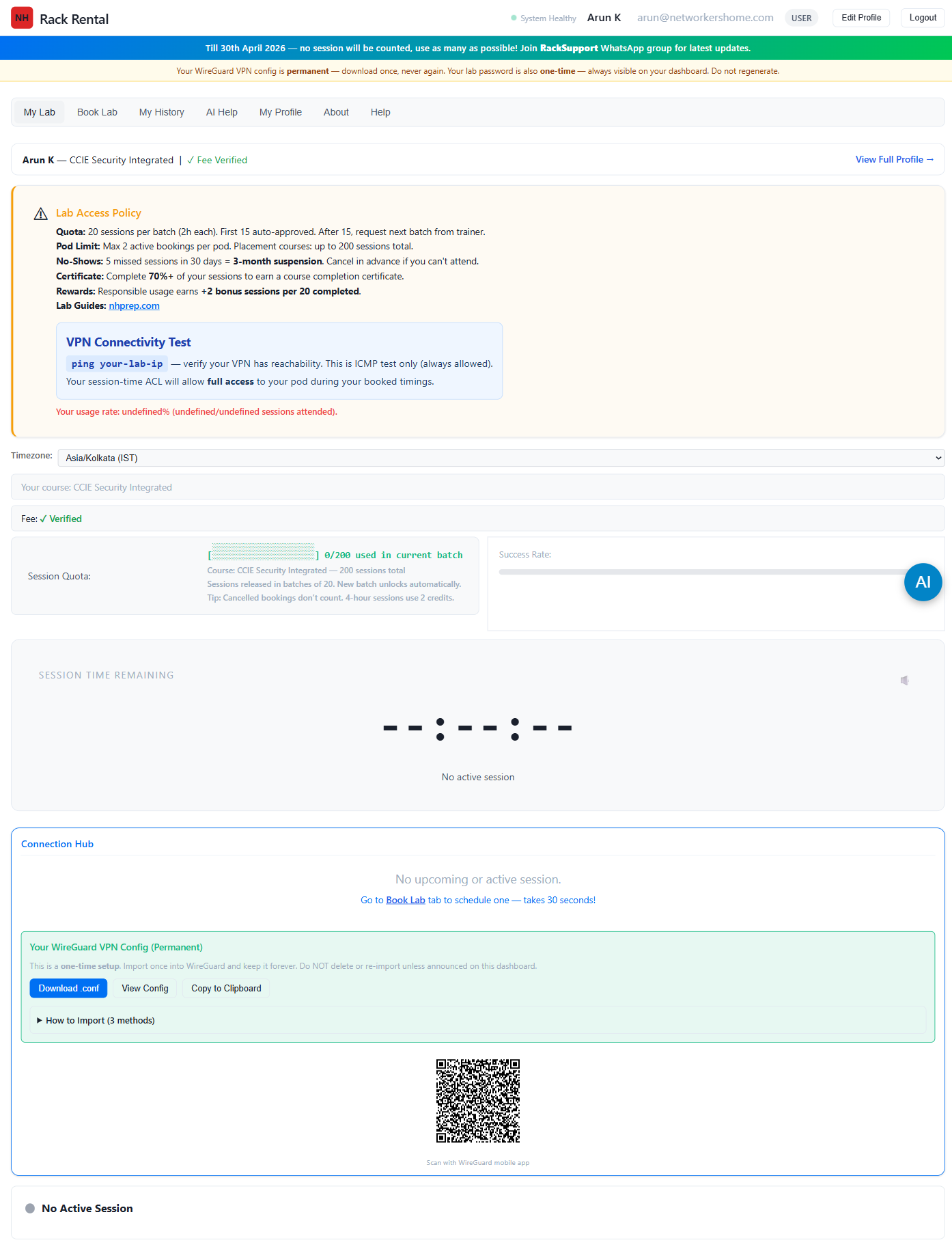
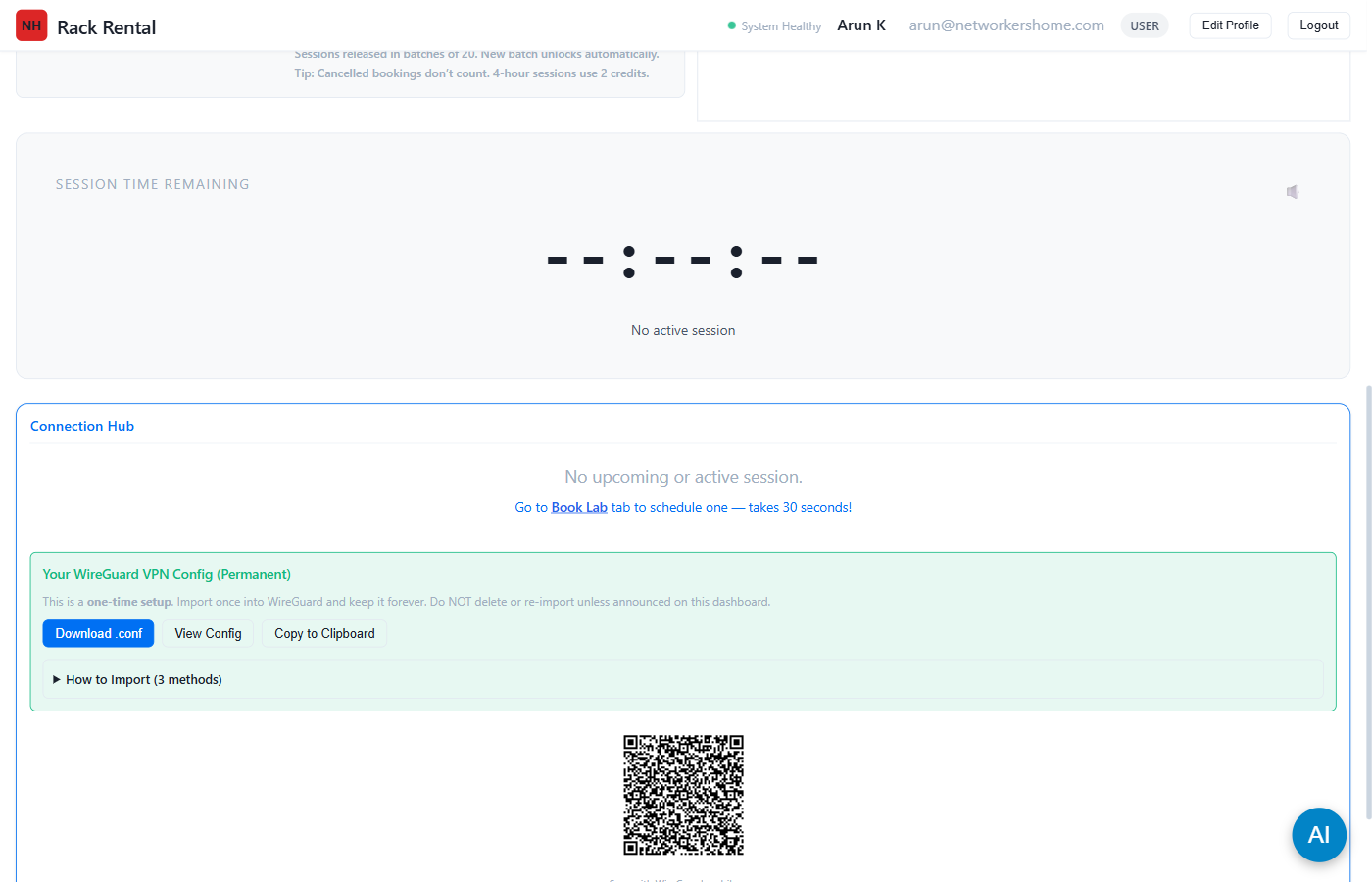
- Click the green "Download .conf" button to save your config file
- Or click "View Config" to see the raw text, then "Copy to Clipboard"
- You can also scan the QR code with the WireGuard mobile app
- Download WireGuard from wireguard.com/install — available for Windows, macOS, Linux, iOS, Android
- Open WireGuard app after installing
- Import your config:
- Windows/macOS: Click "Import tunnel(s) from file" → select your downloaded .conf file
- Mobile (iOS/Android): Tap "+" → "Create from QR code" → scan the QR from your dashboard
- Linux: Copy .conf to
/etc/wireguard/then runwg-quick up wg0
2. Click "Import tunnel(s) from file"
3. Select your
.conf file4. Tunnel appears in the list — done!
2. Tap "+" → "Create from QR code"
3. Point camera at QR code on your dashboard
4. Name it "Rack Rental" — done!
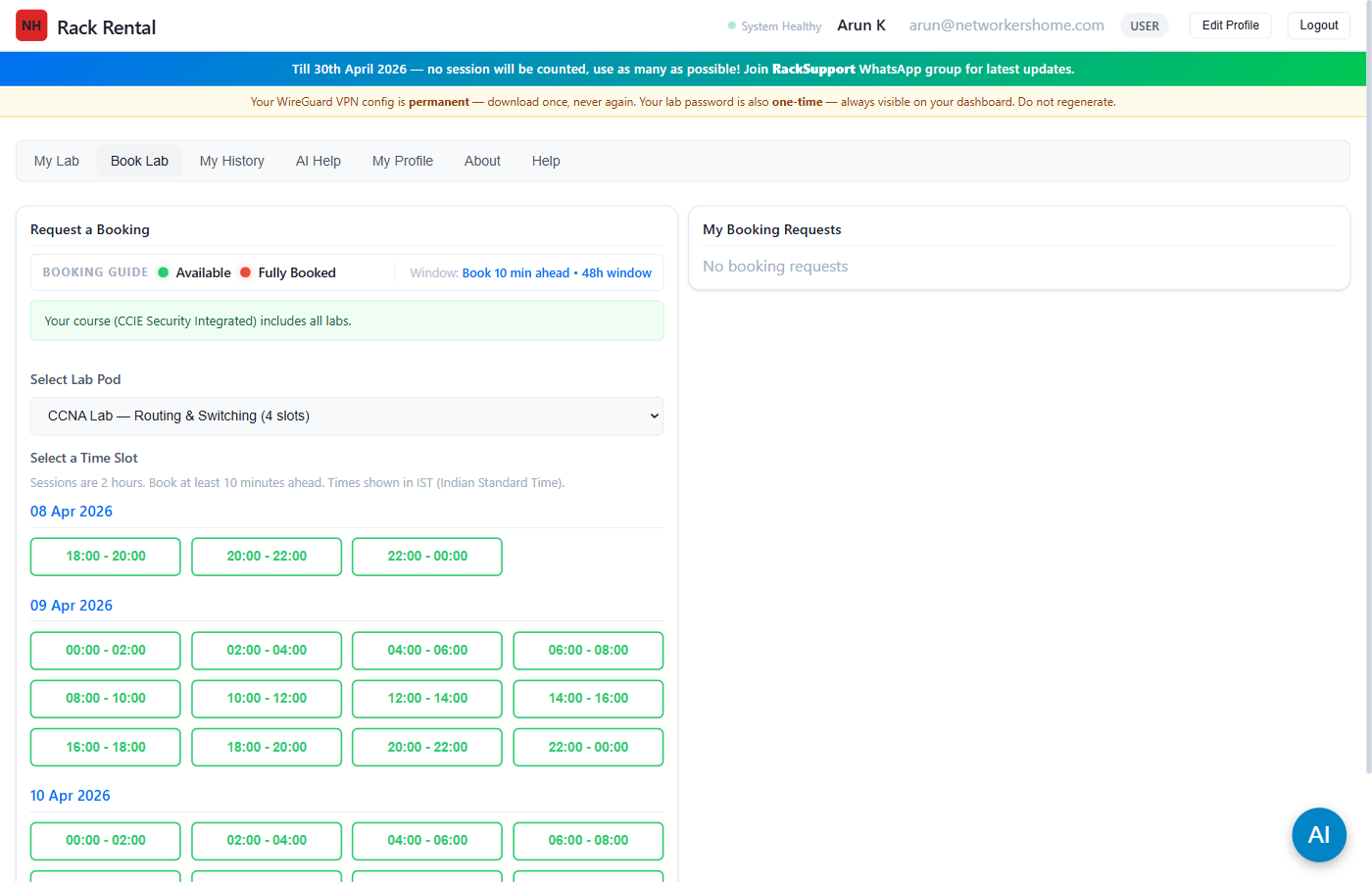
- You'll see a green banner showing which labs your course includes
- Open the "Select Lab Pod" dropdown
- Choose a pod (e.g., CCNA Lab, CCNP Enterprise, etc.)
- Pods not in your course show a lock icon — you cannot book them
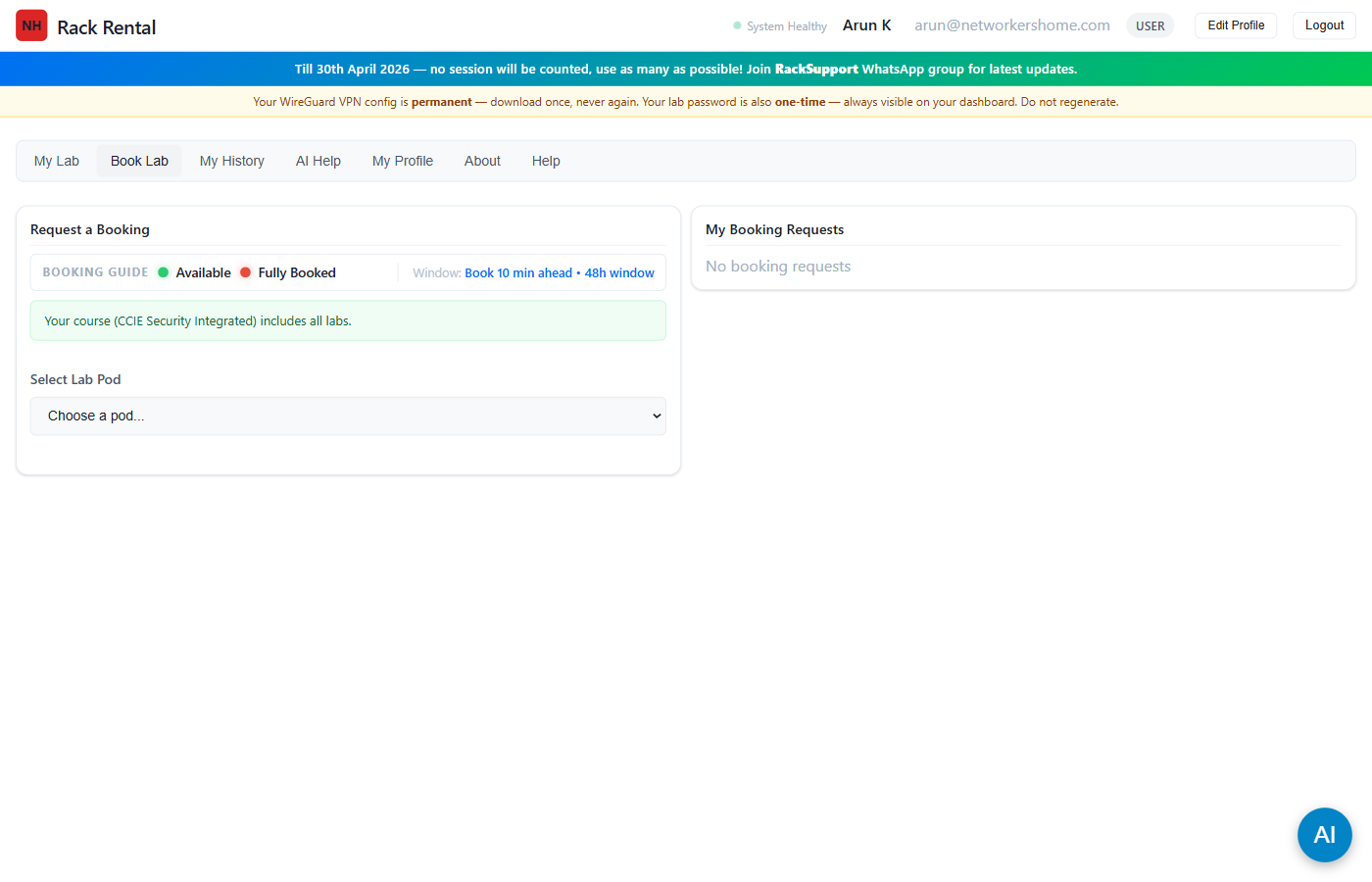
- Green slots = Available — click to book
- Red slots = Fully booked (all concurrent users taken)
- Each session is 2 hours
- You must book at least 10 minutes ahead
- Times are shown in your timezone (IST by default)
- Open the WireGuard app on your device
- Click "Activate" on your imported tunnel
- Status changes to Active with a green indicator
- Your dashboard shows the session countdown timer
- The Connection Hub shows your pod IP and PNetLab credentials
- Check your Connection Hub (scroll down on My Lab tab) for the pod IP and PNetLab credentials
- Open your browser and go to http://<pod-ip> (use HTTP, not HTTPS)
- Login with the username/password shown in Connection Hub
- Click your lab topology to open it
- Click on individual nodes (routers, switches) to open their console
- Start configuring! Use
show ip int brief,conf t, etc.
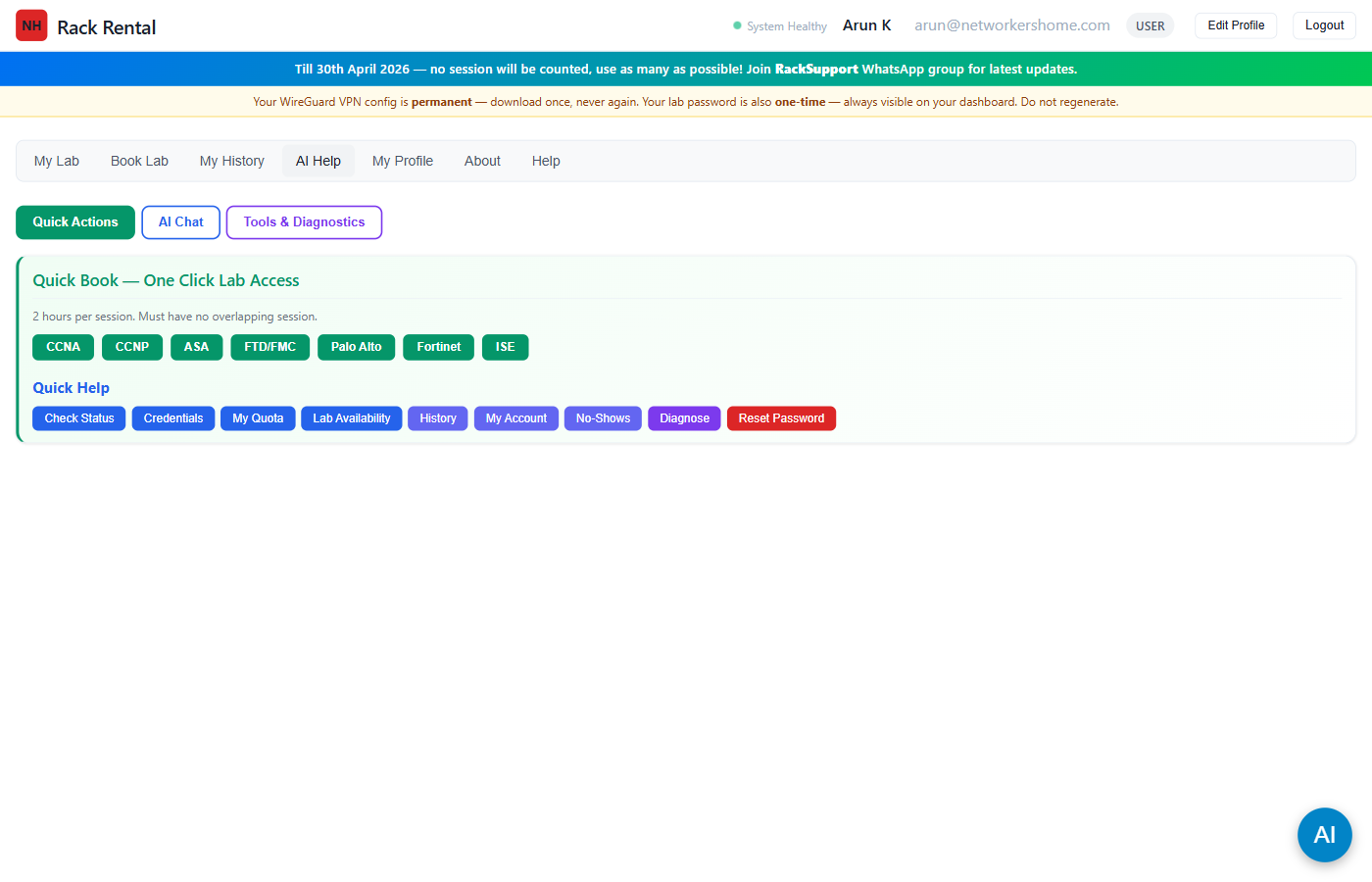
- Quick Actions (green) — One-click buttons to book labs (CCNA, CCNP, ASA, FTD, Palo Alto, Fortinet, ISE), check status, view credentials, quota, and diagnose issues
- AI Chat (blue) — Ask questions about the platform, networking concepts, lab troubleshooting. It knows your course and session status.
- Tools & Diagnostics (purple) — Run connectivity checks, view session history, and reset your PNetLab password
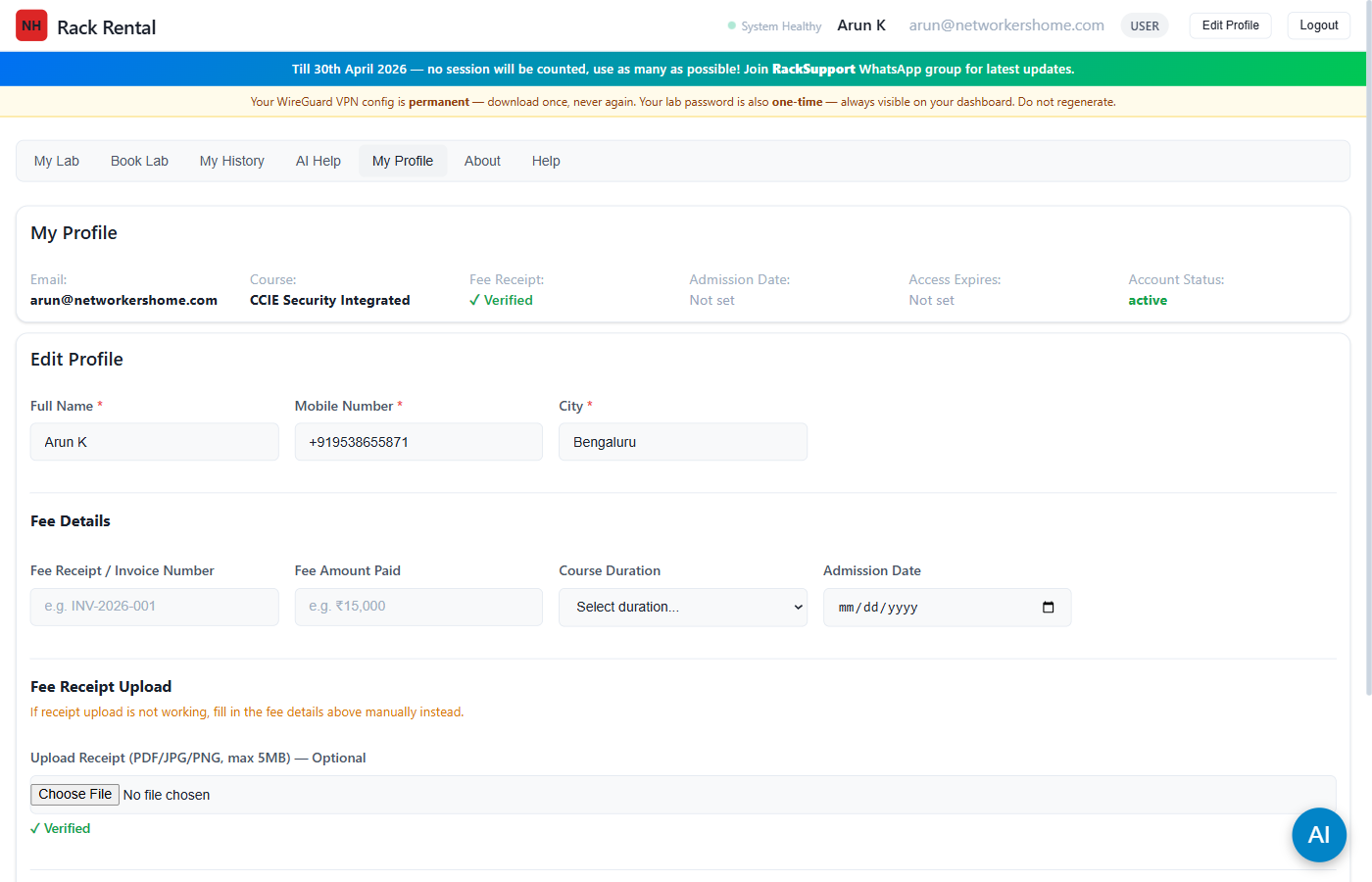
- Profile summary — email, course, fee status, admission & expiry dates, account status
- Edit Profile — update your name, mobile number, city
- Fee Receipt Upload — upload PDF/JPG/PNG (max 10MB). Admin reviews within 24-48 hours.
- Session Quota (on My Lab tab) — shows used/total sessions with a progress bar. Sessions released in batches of 20, auto-extended up to your course limit.
Waiting Review
0Recently Approved
0User Access & Resets
Booking Requests
0Trial Signups Awaiting Full Access
0Approval History
Active Sessions
Recent Activity
Live Sessions (updates every 10s)
Usage (24h)
Pod Utilization (7d)
Session Management
| Student | Group > Pod | Start Time | End Time | Status | Actions |
|---|
User Management
Loading...
Course Management (Level 1)
| Name | Sessions | Duration | Description | Actions |
|---|
Module/Group Management (Level 2)
| Course | Group Name | Description | Actions |
|---|